Setting: Referring to an object with both sentence and pointing:
- Setup
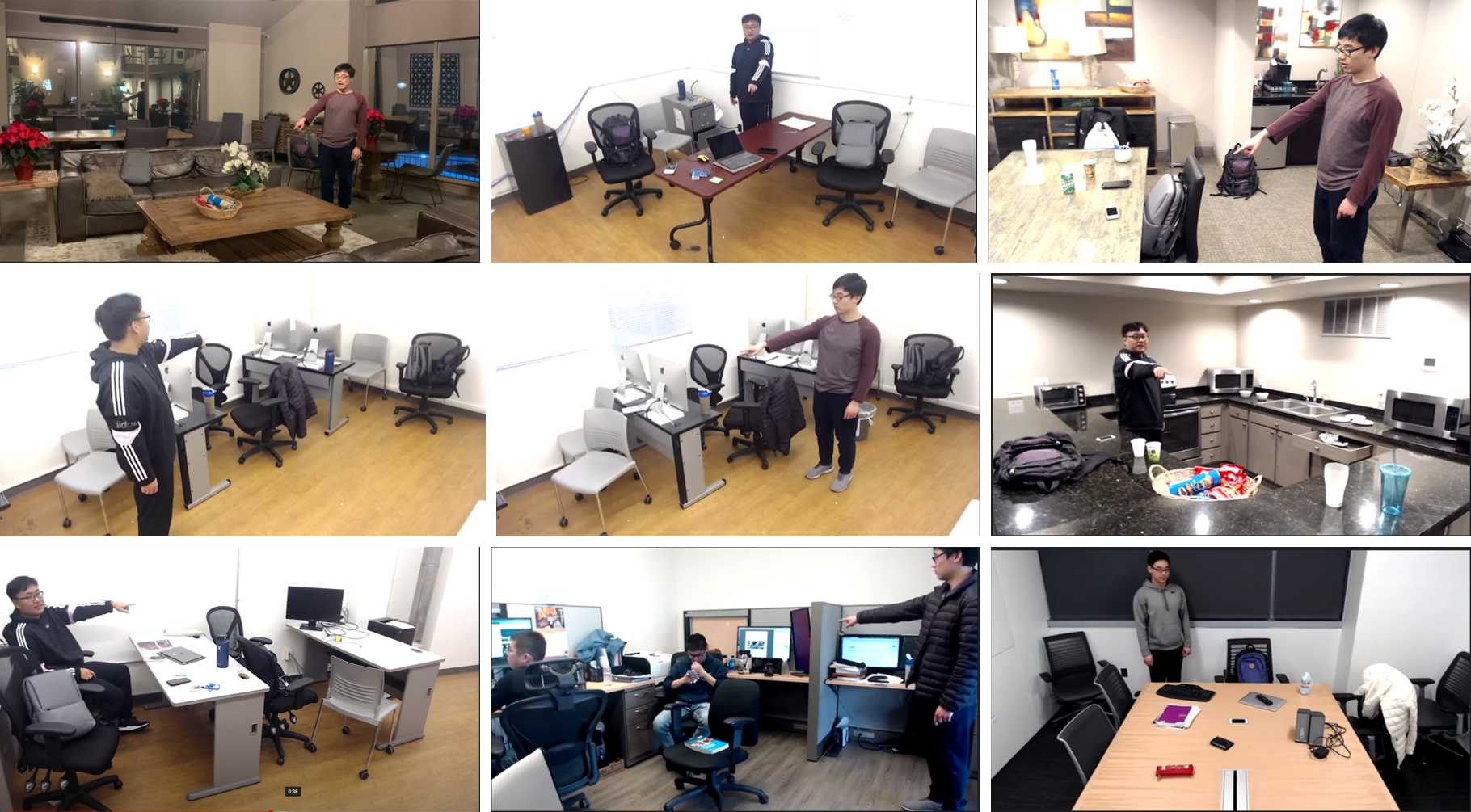
- The scenes should be daily indoor scenes including offices, kitchens, bedrooms, and living rooms. Please make sure the scenes are bright enough for the camera to capture the scene clearly.
- Set up the camera from a relatively high position that shows the Turker and all the objects. All the objects should be seen clearly on screen.
- Randomly locate all objects within camera coverage. The camera should keep the same position during the recording of each video.
- Variety of objects: Make sure there are at least 10 common indoor objects for each video.
- Variety of objects: Each scene should include at least one set that includes multiple examples (more than one) of the same object label. For example, multiple cups, multiple chairs, or multiple laptops.
- Some sample setups are provided below for your reference:
- Recording
- Use only one pointing gesture and one sentence to refer to a unique object.
- You should make the pointing and sentence as natural as possible by imaging the camera as the other person that you need to refer to.
- During the recording, make sure the pointing and sentence are sufficient to clearly refer to one unique object. Make sure the reference will not cause a misunderstanding or ambiguity.
- After verbal reference and pointing are done for each object, tap the object that is referenced. This is to confirm which object was chosen. Then repeat the process for each object.
- Make sure the object is not blocked by your body on screen. You should always be inside the screen.
- Make sure the scene is clearly captured in the video and the voice is clearly recorded.
- Variety of Poses: You are encouraged to have various poses during the videos such as sitting and standing. Natural poses are preferred.
- Sentences: You are encouraged to use relational description, such as "the cup on the table", "the phone in front of the cup", "the football under the chair".
- Submission
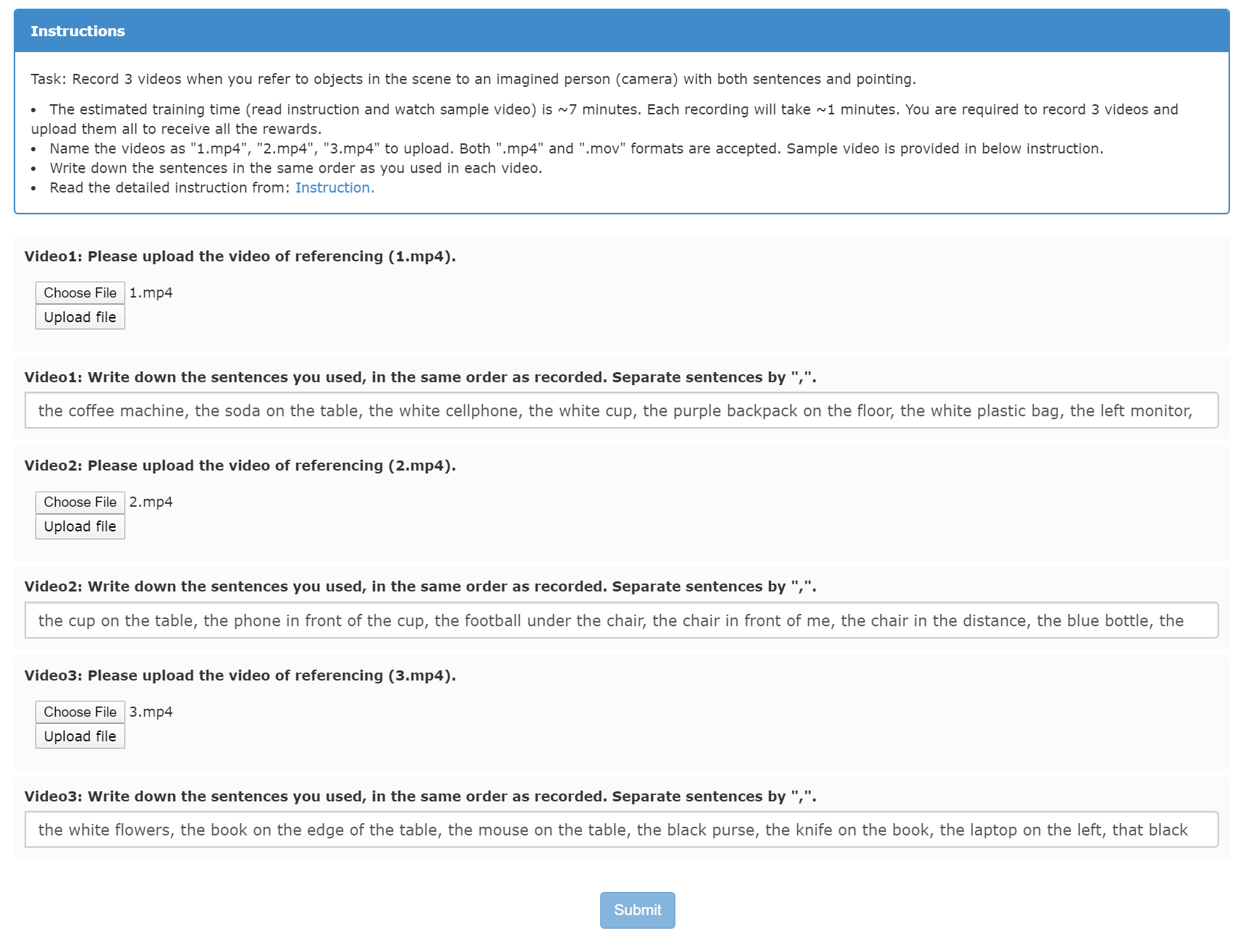
- After recording, You should write down the sentences (separated with comma) in the same order as during the recording and submit both the sentences and videos.
- A sample of how to submit the videos and sentences is provided as follows:
Sample Video
Please watch the sample video with more detailed step-by-step instruction.